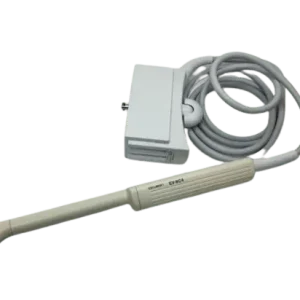
If your Sonoscape C542 is producing degraded images, failing probe tests or showing physical damage, this page helps you judge what is likely wrong and whether a repair makes sense before you commit to a replacement.
| Manufacturer | Sonoscape |
|---|---|
| Model | C542 |
| Probe type | Convex array |
| Compatible systems | Sonoscape S8 Expert, Sonoscape S9 Pro |
The C542 typically pairs with Sonoscape S8 Expert, Sonoscape S9 Pro; the same fault can present differently between console revisions, which is why the host system is asked for with the quote details.
On convex probes such as the C542, the curved acoustic window wears unevenly under pressure-heavy scanning; lens condition is the first thing to check when image quality drops.
Common failure modes for the C542
Match what you are seeing against the table below. The right-hand column reflects how faults of this kind typically assess – the actual verdict always depends on the individual probe.
| What you see | Likely cause | Typically repairable? |
|---|---|---|
| Intermittent signal that changes as the cable moves | Broken internal conductors in the cable | Case by case |
| Bent, broken or corroded connector pins | Mechanical damage from forcing or dropping the connector | Usually repairable |
| Split seams or impact marks on the probe body | Impact damage; housing can usually be replaced or resealed | Usually repairable |
| Dark bands or dropout lines in the image | Element dropout, or a conductor break inside the cable | Case by case |
| Large areas of the array not firing | Extensive element loss across the acoustic stack | Usually not economical |
| Connector lock broken or hardware missing | Broken locking mechanics on the connector housing | Usually repairable |
| Cuts, gouges or discoloration on the lens membrane | Wear from use, or chemical attack from disinfectants | Usually repairable |
Check these before you ship the probe
- Photograph the complete manufacturer label – the exact revision matters for parts compatibility.
- Check the strain reliefs at both ends for splits, stiffness or separation from the cable.
- Run the system’s built-in probe test or element check if your console provides one.
- Examine the connector for bent or corroded pins, cracks and a working locking mechanism.
- Inspect the lens face under good light for cuts, bubbles, lifting edges or discoloration.
Repair, exchange or replace — which applies to your C542
Whether a C542 is worth repairing depends on the damage scope: localized lens, cable, strain relief and connector faults are routine repairs, while widespread element loss usually is not economical. An exchange unit can bridge the gap when downtime matters, and replacement becomes rational when repair cost approaches replacement value. A written assessment settles this per probe – condition, not model, decides it.
What we need to quote your C542 repair
- A clear photo of the complete manufacturer and model label on the probe
- A description of the fault: what you see on screen and when it started
- The ultrasound system (console) the probe is used with
- Screenshots or photos of the image problem, if the fault is visual
- Photos of any physical damage – lens, housing, cable or connector
Images shown are representative and are not photographs of an individual unit. Nothing on this page claims OEM authorization or guarantees universal fit. Whether a specific C542 can be repaired, and on what terms, is confirmed in writing once the probe has been assessed.