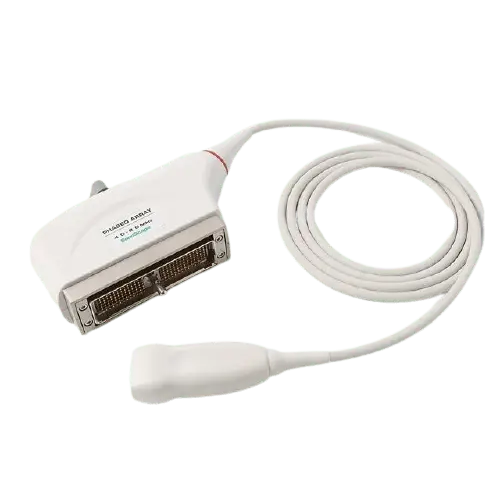
Use this reference to troubleshoot the Philips T6207 (21381A): identify the fault from what you see, judge whether it is typically repairable, and prepare the details needed for a quote.
| Manufacturer | Philips |
|---|---|
| Model | T6207 (21381A) |
| Probe type | TEE array |
| Compatible systems | HP Sonos 4500, HP Sonos 5500, HP Sonos 7500, Philips iE33 |
The T6207 (21381A) typically pairs with HP Sonos 4500, HP Sonos 5500, HP Sonos 7500, Philips iE33; the same fault can present differently between console revisions, which is why the host system is asked for with the quote details.
TEE probes like the T6207 (21381A) combine articulation mechanics, a long insertion tube and bite exposure – three failure paths surface probes never face, and the reason TEE repairs are assessed with extra care.
Common failure modes for the T6207 (21381A)
Match what you are seeing against the table below. The right-hand column reflects how faults of this kind typically assess – the actual verdict always depends on the individual probe.
| What you see | Likely cause | Typically repairable? |
|---|---|---|
| Visible nicks, grooves or staining on the lens surface | Mechanical wear or disinfectant damage to the lens | Usually repairable |
| Latch or locking hardware damaged on the connector shell | Mechanical damage to the connector shell | Usually repairable |
| Fuzzy or noisy image that cleaning does not fix | Lens wear or early element degradation | Case by case |
| Split seams or impact marks on the probe body | A drop or knock; housings are routinely replaced or resealed | Usually repairable |
| Outer cable sheath showing cracks, kinks or staining | Jacket wear; conductors may still be intact underneath | Usually repairable |
| Image cuts out when the cable is flexed | Broken internal conductors in the cable | Case by case |
| Whole regions of the image blank across the array width | Widespread element or acoustic stack failure | Usually not economical |
| Bite marks or punctures on the insertion tube | Patient bite damage to the flexible shaft | Case by case |
| Tip articulation stiff, loose or unresponsive | Worn or broken articulation cables | Case by case |
| Failed leak test on a TEE probe | Breach in the insertion tube or tip sealing | Case by case |
Check these before you ship the probe
- Photograph the complete manufacturer label – the exact revision matters for parts compatibility.
- Flex the cable gently along its length while imaging – intermittent dropout points to broken conductors.
- Compare penetration and uniformity against a known-good probe on the same preset.
- Check the strain reliefs at both ends for splits, stiffness or separation from the cable.
- Inspect the lens face under good light for cuts, bubbles, lifting edges or discoloration.
- Do not continue clinical use after suspected bite damage; note the articulation behaviour (stiff, loose, unresponsive) for the assessment.
Repair, exchange or replace — which applies to your T6207 (21381A)
For the T6207 (21381A), think in terms of damage depth: surface and cable-level faults are usually repairable at a fraction of replacement cost; acoustic stack failures are evaluated case by case; extensive element loss generally means replacement. Send the symptoms and photos first – that determines the path before anything ships.
What we need to quote your T6207 (21381A) repair
- A clear photo of the complete manufacturer and model label on the probe
- A description of the fault: what you see on screen and when it started
- The ultrasound system (console) the probe is used with
- Screenshots or photos of the image problem, if the fault is visual
- Photos of any physical damage – lens, housing, cable or connector
Product imagery on this page is representative of the T6207 (21381A) probe family and is not a photograph of your specific unit. This page does not claim OEM authorization or universal compatibility. Repair feasibility, turnaround and commercial terms are confirmed in writing after assessment of the actual probe.