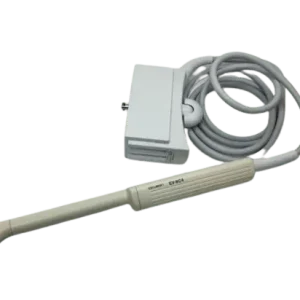
This page covers the Toshiba CANON-PVT-745BTF from a repair perspective: the failure modes we see on this class of probe, how to check the probe yourself, and what information gets you an accurate repair quote.
| Manufacturer | Toshiba |
|---|---|
| Model | CANON-PVT-745BTF |
| Probe type | Convex array |
| Compatible systems | Canon Aplio i600 (TUS-AI600), Canon Aplio i700 (TUS-AI700), Canon Aplio i800 (TUS-AI800), Canon Aplio i900 (TUS-AI900) |
The CANON-PVT-745BTF typically pairs with Canon Aplio i600 (TUS-AI600), Canon Aplio i700 (TUS-AI700), Canon Aplio i800 (TUS-AI800), Canon Aplio i900 (TUS-AI900); the same fault can present differently between console revisions, which is why the host system is asked for with the quote details.
Curved arrays like the CANON-PVT-745BTF see heavy abdominal duty, and the curved lens face takes the brunt of it – delamination and membrane wear typically show up before element failures do.
Common failure modes for the CANON-PVT-745BTF
Match what you are seeing against the table below. The right-hand column reflects how faults of this kind typically assess – the actual verdict always depends on the individual probe.
| What you see | Likely cause | Typically repairable? |
|---|---|---|
| Bubbles or lifting at the lens face | The lens separating from the acoustic stack underneath | Usually repairable |
| Cable jacket cracked, wrinkled or discolored | Surface jacket wear – the conductors inside are often still good | Usually repairable |
| Grainy, low-detail image even after presets are checked | A worn lens surface or elements beginning to degrade | Case by case |
| Whole regions of the image blank across the array width | Extensive element loss across the acoustic stack | Usually not economical |
| Latch or locking hardware damaged on the connector shell | Mechanical damage to the connector shell | Usually repairable |
| Bent, broken or corroded connector pins | Mechanical damage from forcing or dropping the connector | Usually repairable |
| Depth performance clearly below what this probe used to deliver | Reduced acoustic output from element ageing or a delaminating lens | Case by case |
Check these before you ship the probe
- Run the system’s built-in probe test or element check if your console provides one.
- Check the strain reliefs at both ends for splits, stiffness or separation from the cable.
- Inspect the lens face under good light for cuts, bubbles, lifting edges or discoloration.
- Photograph the complete manufacturer label – the exact revision matters for parts compatibility.
- Examine the connector for bent or corroded pins, cracks and a working locking mechanism.
Repair, exchange or replace — which applies to your CANON-PVT-745BTF
For the CANON-PVT-745BTF, think in terms of damage depth: surface and cable-level faults are usually repairable at a fraction of replacement cost; acoustic stack failures are evaluated case by case; extensive element loss generally means replacement. Send the symptoms and photos first – that determines the path before anything ships.
What we need to quote your CANON-PVT-745BTF repair
- A clear photo of the complete manufacturer and model label on the probe
- A description of the fault: what you see on screen and when it started
- The ultrasound system (console) the probe is used with
- Screenshots or photos of the image problem, if the fault is visual
- Photos of any physical damage – lens, housing, cable or connector
Product imagery on this page is representative of the CANON-PVT-745BTF probe family and is not a photograph of your specific unit. This page does not claim OEM authorization or universal compatibility. Repair feasibility, turnaround and commercial terms are confirmed in writing after assessment of the actual probe.