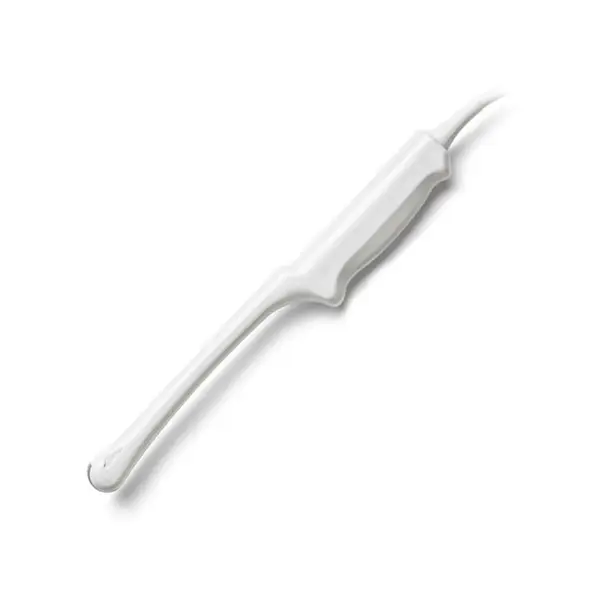
A failing HP 21275A does not always mean buying a new probe. Use the fault table below to match what you are seeing on screen to a likely cause, then check what a repair assessment would need.
| Manufacturer | HP |
|---|---|
| Model | 21275A |
| Probe type | Phased Array |
| Compatible systems | HP Sonos 2000, HP Sonos 2500 |
In service the 21275A is most often found on HP Sonos 2000, HP Sonos 2500. Console-side settings and module revisions still vary, so the exact system build is part of any assessment.
Phased arrays like the 21275A pack tightly spaced elements into a small footprint – edge-element failures distort the sector image early, and cardiac duty cycles accelerate cable fatigue.
Common failure modes for the 21275A
Match what you are seeing against the table below. The right-hand column reflects how faults of this kind typically assess – the actual verdict always depends on the individual probe.
| What you see | Likely cause | Typically repairable? |
|---|---|---|
| Cracked or dented housing | Impact damage; housing can usually be replaced or resealed | Usually repairable |
| Fuzzy or noisy image that cleaning does not fix | Lens wear or early element degradation | Case by case |
| Dark bands or dropout lines in the image | Element dropout, or a conductor break inside the cable | Case by case |
| Cuts, gouges or discoloration on the lens membrane | Mechanical wear or disinfectant damage to the lens | Usually repairable |
| Bubbles or lifting at the lens face | Lens delamination from the acoustic stack | Usually repairable |
| Outer cable sheath showing cracks, kinks or staining | Surface jacket wear – the conductors inside are often still good | Usually repairable |
| Depth performance clearly below what this probe used to deliver | Reduced acoustic output from element ageing or a delaminating lens | Case by case |
| Sector image narrows or loses the apex | Element failure concentrated at the array edge | Case by case |
Check these before you ship the probe
- Compare penetration and uniformity against a known-good probe on the same preset.
- Examine the connector for bent or corroded pins, cracks and a working locking mechanism.
- Inspect the lens face under good light for cuts, bubbles, lifting edges or discoloration.
- Photograph the complete manufacturer label – the exact revision matters for parts compatibility.
- Flex the cable gently along its length while imaging – intermittent dropout points to broken conductors.
Repair, exchange or replace — which applies to your 21275A
Repair suits the 21275A when damage is mechanical or confined – lens membrane, strain relief, cable jacket, connector hardware. Once element dropout spreads across large sections of the array, repair cost climbs toward replacement value and stops making sense. If uptime is critical, ask about exchange options while your probe is assessed.
What we need to quote your 21275A repair
- A clear photo of the complete manufacturer and model label on the probe
- A description of the fault: what you see on screen and when it started
- The ultrasound system (console) the probe is used with
- Screenshots or photos of the image problem, if the fault is visual
- Photos of any physical damage – lens, housing, cable or connector
Images shown are representative and are not photographs of an individual unit. Nothing on this page claims OEM authorization or guarantees universal fit. Whether a specific 21275A can be repaired, and on what terms, is confirmed in writing once the probe has been assessed.