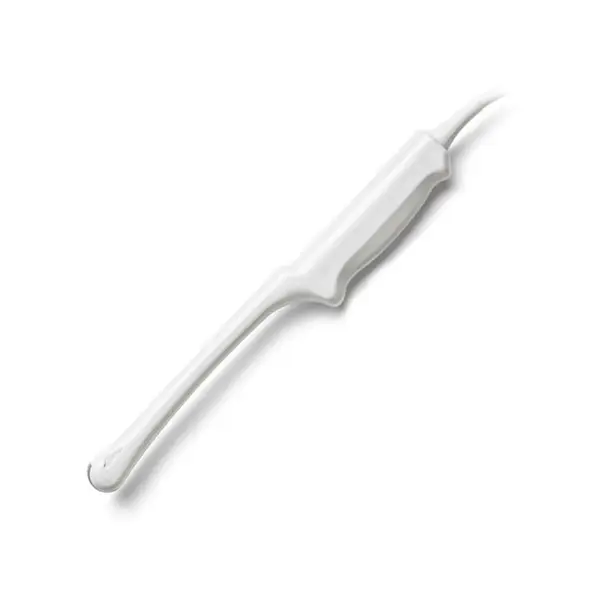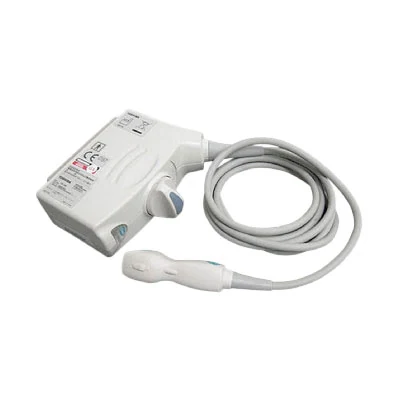
Use this reference to troubleshoot the Toshiba PST-25BT (5S1): identify the fault from what you see, judge whether it is typically repairable, and prepare the details needed for a quote.
| Manufacturer | Toshiba |
|---|---|
| Model | PST-25BT (5S1) |
| Probe type | Phased Array |
| Compatible systems | Canon Aplio i600 (TUS-AI600), Canon Aplio i700 (TUS-AI700), Canon Aplio i800 (TUS-AI800), Toshiba Aplio 50 (SSA-700A), Toshiba Artida (SSH-880CV), Toshiba Xario (SSA-660A) |
In service the PST-25BT (5S1) is most often found on Canon Aplio i600 (TUS-AI600), Canon Aplio i700 (TUS-AI700), Canon Aplio i800 (TUS-AI800), Toshiba Aplio 50 (SSA-700A), Toshiba Artida (SSH-880CV) and other listed systems. Console-side settings and module revisions still vary, so the exact system build is part of any assessment.
Compact phased-array heads such as the PST-25BT (5S1) are sensitive to element dropout at the sector edges, and round-the-clock cardiac use is hard on cables and strain reliefs.
Common failure modes for the PST-25BT (5S1)
Match what you are seeing against the table below. The right-hand column reflects how faults of this kind typically assess – the actual verdict always depends on the individual probe.
| What you see | Likely cause | Typically repairable? |
|---|---|---|
| Noticeably weaker penetration than the paired probe | Ageing elements or lens delamination reducing acoustic output | Case by case |
| Vertical shadowing or missing scan lines on screen | Element dropout, or a conductor break inside the cable | Case by case |
| Strain relief pulling away from the cable or gone rigid | Flex fatigue where the cable meets the probe or connector | Usually repairable |
| Intermittent signal that changes as the cable moves | Broken internal conductors in the cable | Case by case |
| Cable jacket cracked, wrinkled or discolored | Surface jacket wear – the conductors inside are often still good | Usually repairable |
| Bubbles or lifting at the lens face | The lens separating from the acoustic stack underneath | Usually repairable |
| Whole regions of the image blank across the array width | Extensive element loss across the acoustic stack | Usually not economical |
| Sector image narrows or loses the apex | Element failure concentrated at the array edge | Case by case |
Check these before you ship the probe
- Photograph the complete manufacturer label – the exact revision matters for parts compatibility.
- Run the system’s built-in probe test or element check if your console provides one.
- Inspect the lens face under good light for cuts, bubbles, lifting edges or discoloration.
- Examine the connector for bent or corroded pins, cracks and a working locking mechanism.
- Check the strain reliefs at both ends for splits, stiffness or separation from the cable.
Repair, exchange or replace — which applies to your PST-25BT (5S1)
Three paths apply to a failing PST-25BT (5S1): repair (typical for lens, housing, cable and connector damage), exchange (fastest route back to scanning) or replacement (when the acoustic stack is too far gone). The deciding factors are how much of the array still fires, whether the housing is intact and what downtime costs you. Each probe is judged on its actual condition.
What we need to quote your PST-25BT (5S1) repair
- A clear photo of the complete manufacturer and model label on the probe
- A description of the fault: what you see on screen and when it started
- The ultrasound system (console) the probe is used with
- Screenshots or photos of the image problem, if the fault is visual
- Photos of any physical damage – lens, housing, cable or connector
Product imagery on this page is representative of the PST-25BT (5S1) probe family and is not a photograph of your specific unit. This page does not claim OEM authorization or universal compatibility. Repair feasibility, turnaround and commercial terms are confirmed in writing after assessment of the actual probe.